
Set everything up · Lesson 10 of 28 · 5 min
Install the Signals app and turn on notifications

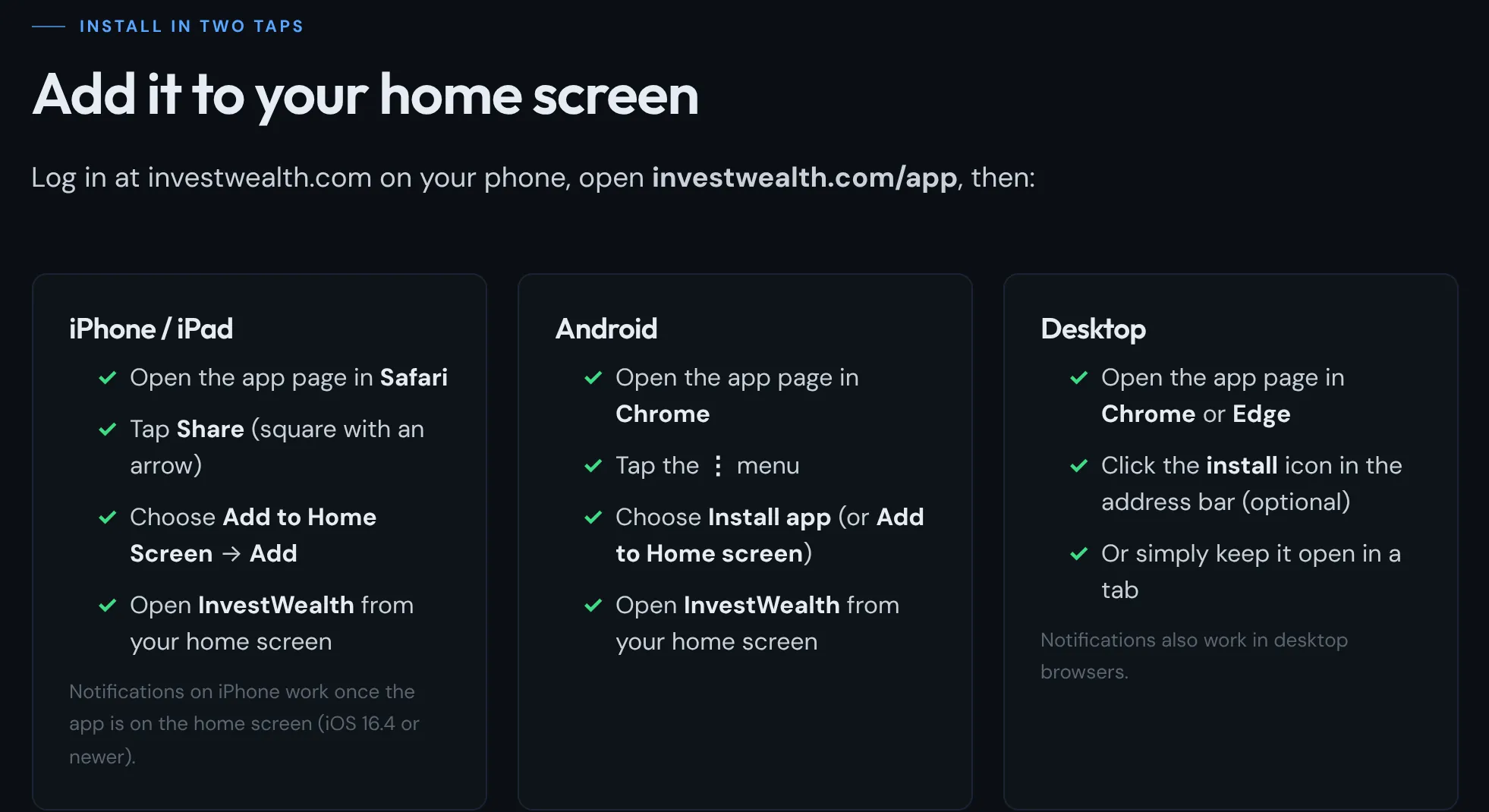
The Signals app puts all 30 signals on your phone and sends a notification when a signal or position size changes. There is no app store and no extra password: it runs from your InvestWealth account and installs in two taps.
Open your free accountFollow along in your own Research Terminal: 6 core markets, strategy vs buy & hold. Your progress is saved.
Free · no card
You also get our research emails: a short update after each month-end, plus occasional research and offers. Unsubscribe anytime with one click.
🔒 This lesson is part of Plus and PremiumPlus members get the full lesson: what you see, how to read it, how to use it in your routine, with screenshots and a direct link into the Terminal.
Already a member? Log in
Educational research, not investment advice. Backtested results are hypothetical.